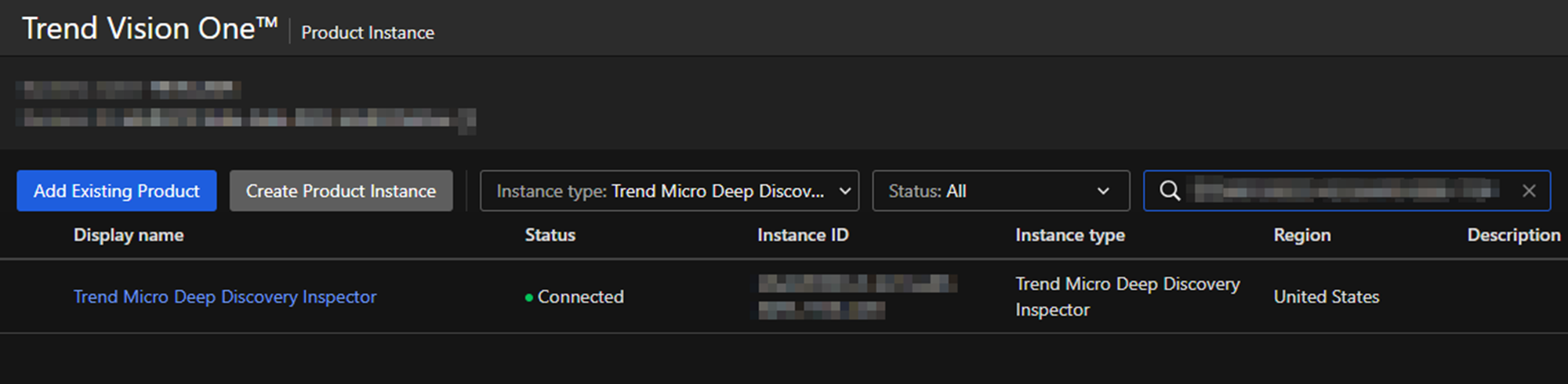
Product Connect
Apex One (On-Premise)
Apex One 無法直接 Connect 到 Trend Vision One 需要透過 Apex Central
來完成
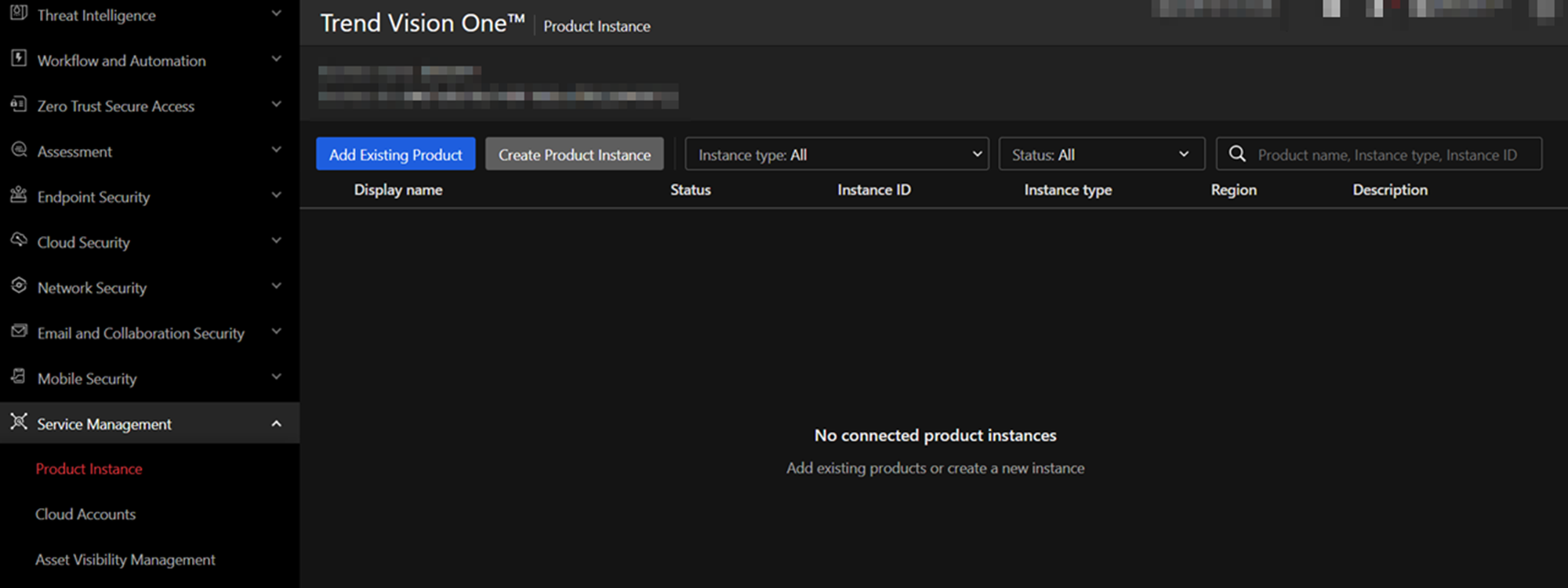
在 Service Management > Product Instance 當中點擊 Add Existing
Product
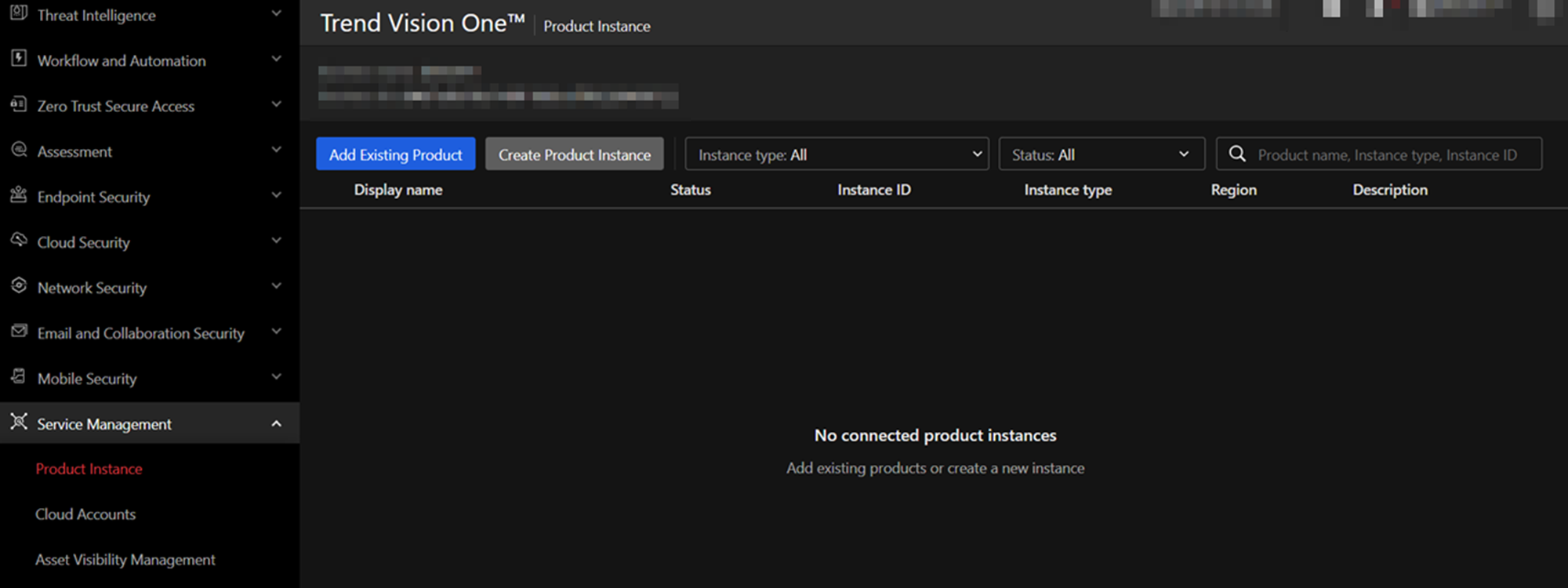
在彈出的 Product Connection 選擇 Trend Micro Apex One On-Premises
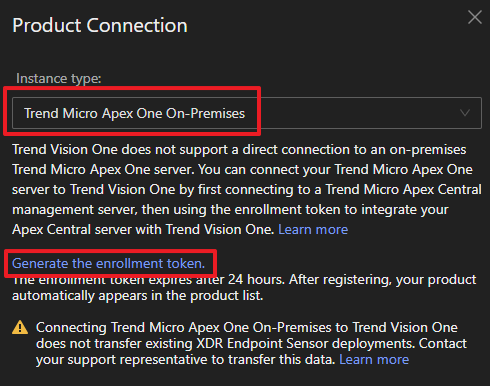
點擊 Generate the enrollment token. 產生 token 並複製後點擊 Save
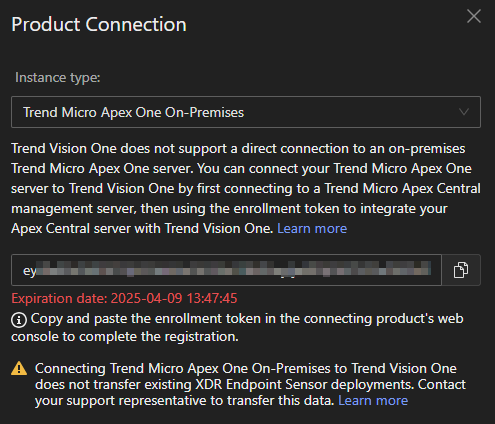
將複製的 token 拿到 Apex Central 的 Trend Vision One > 整合設定 當中的 註冊
Token 貼上
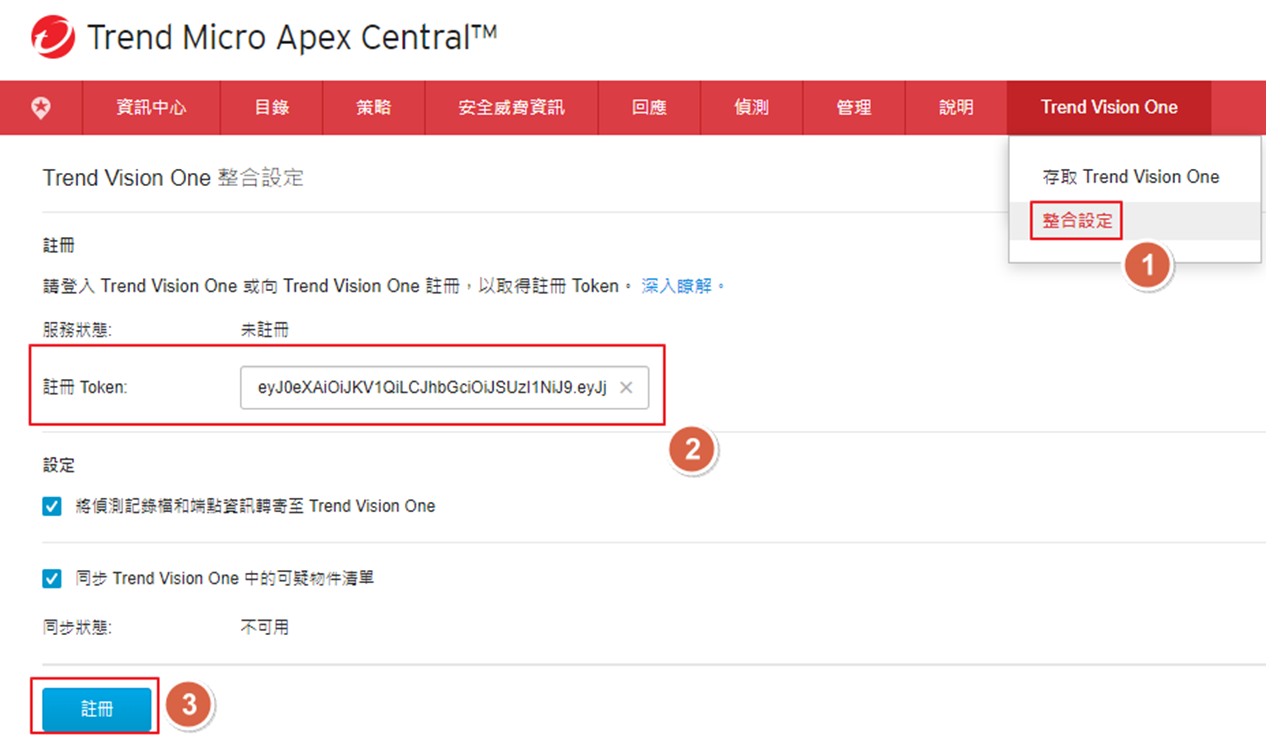
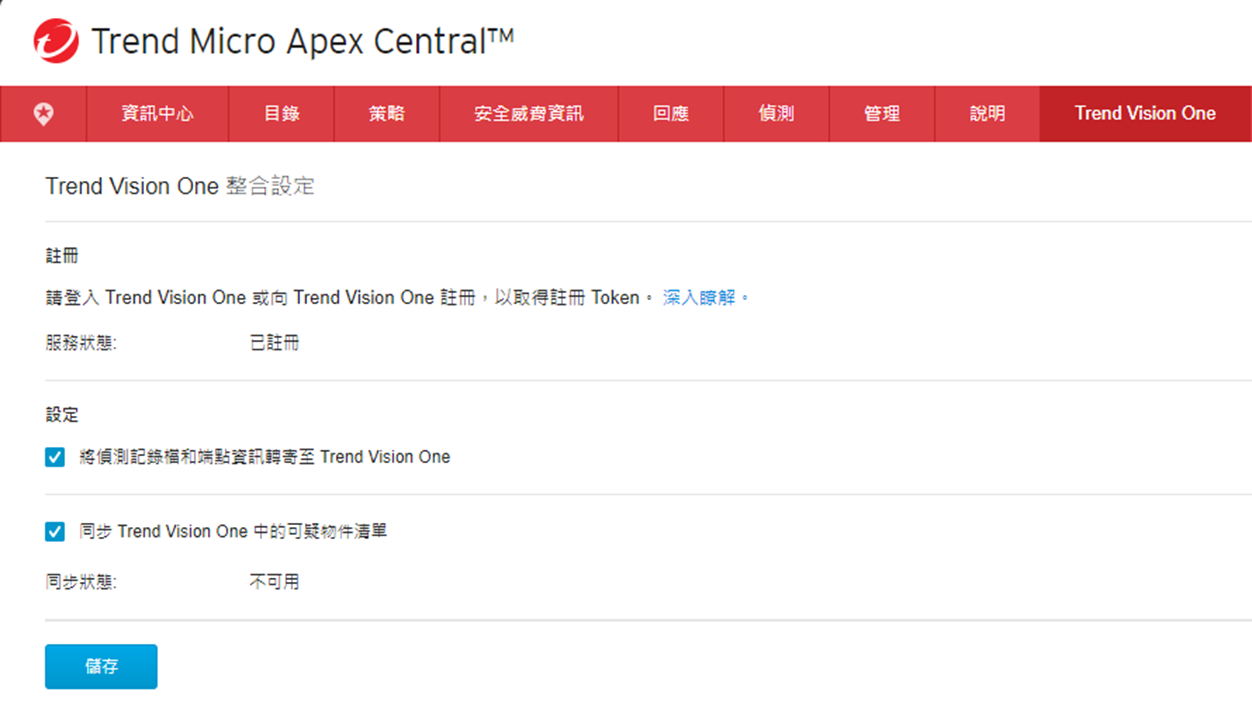
完成後可以看到 服務狀態: 已註冊
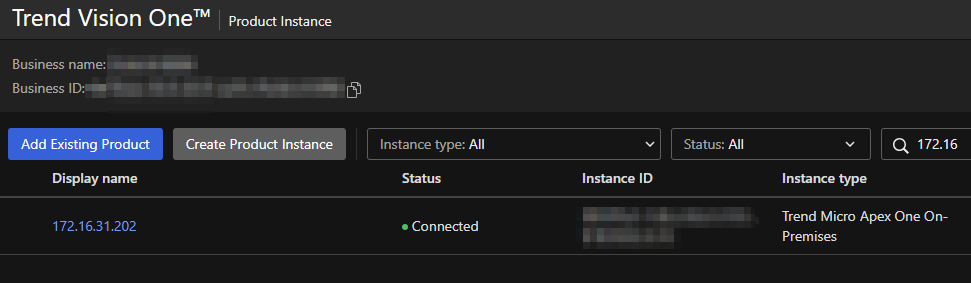
在 Service Management > Product Instance 當中可以看到新增的 Apex
Central
Deep Security (On-Premise)
Tip
部分與 Trend Vision One 整合功能會需要更新版本的支援
例如:Deploy Trend Micro Endpoint Basecamp for Trend Micro Vision One (XDR) 需要 Build 20.0.366
在 Service Management > Product Instance 當中點擊 Add Existing
Product
在彈出的 Product Connection 選擇 Trend Micro Deep Security
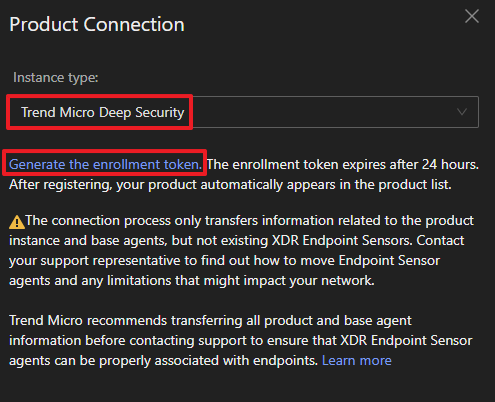
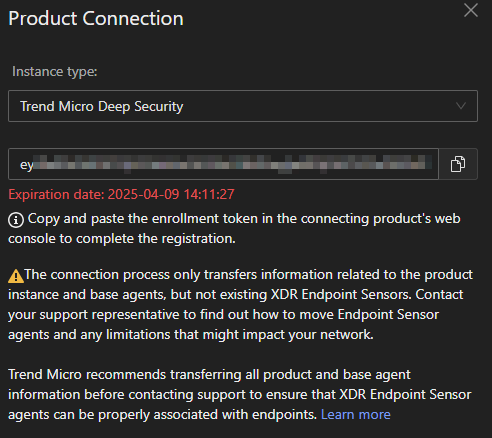
點擊 Generate the enrollment token. 產生 token 並複製後點擊 Save
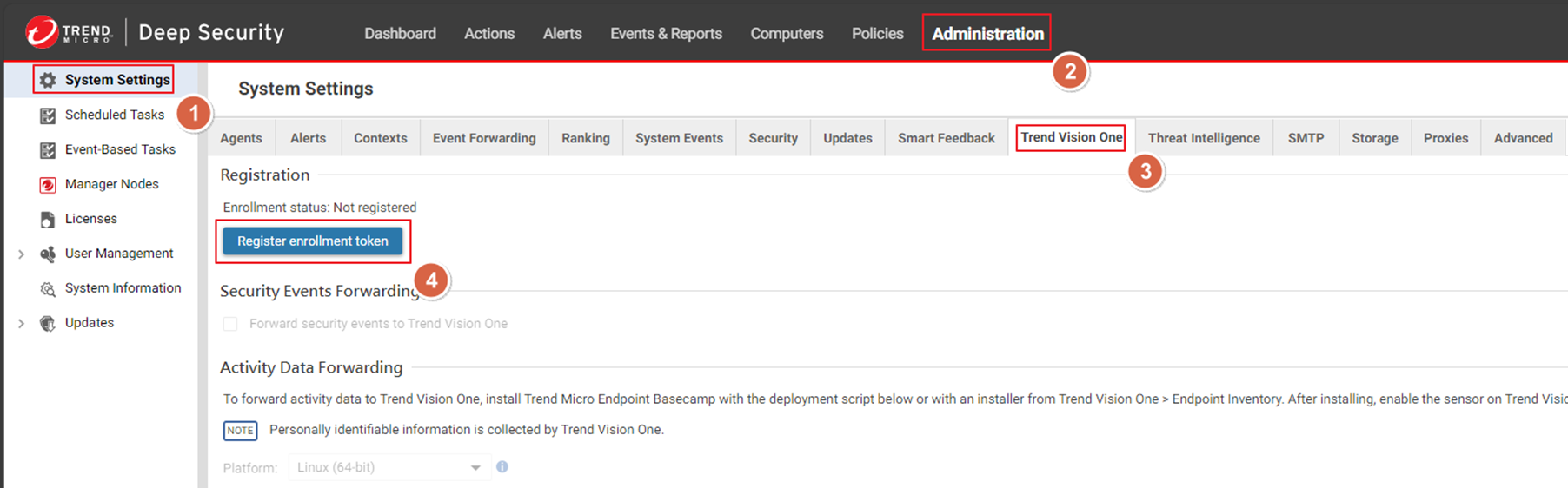
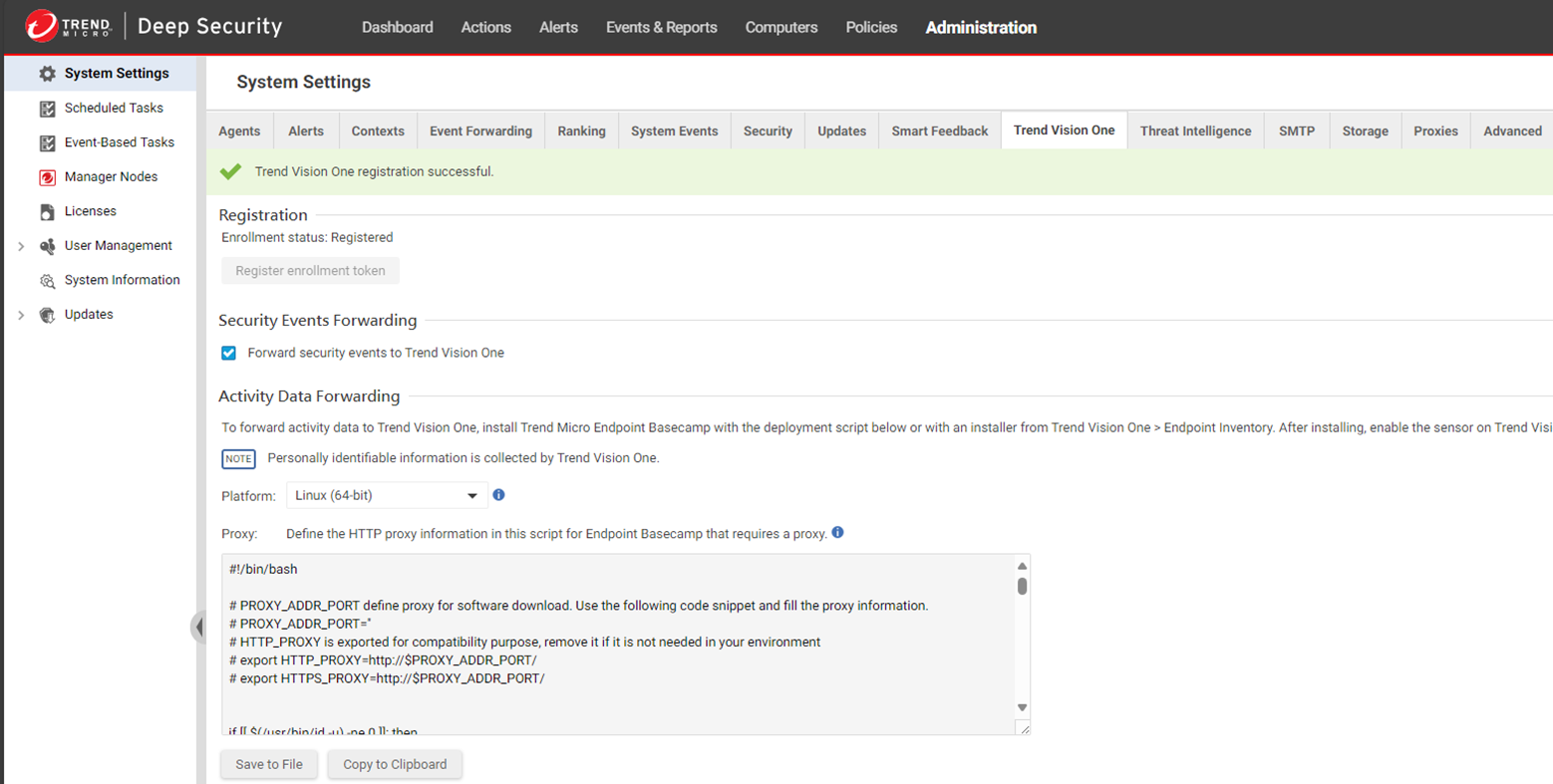
在 Deep Security Manager 的 Administration > Trend Vision
One 點擊 Register enrollment token
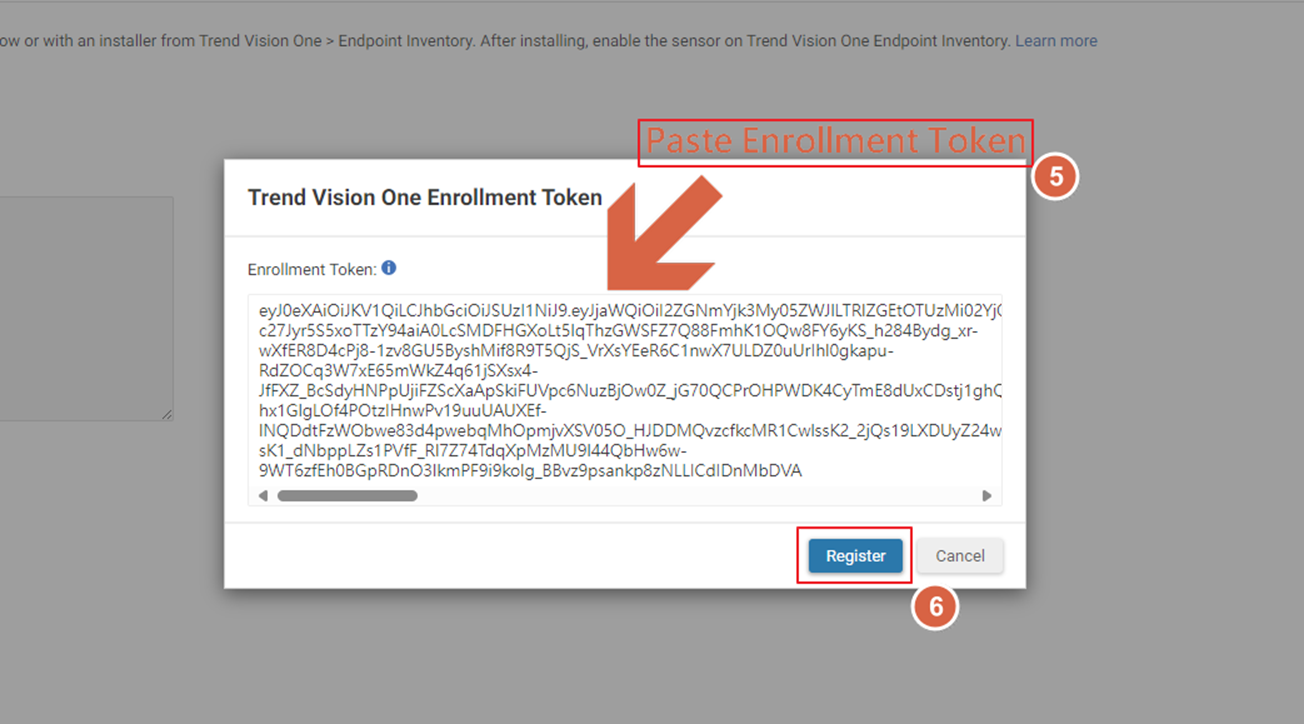
在 Trend Vision One Enrollment Token 內貼上複製的 token
完成後可以看到 Enrollment status: Registered
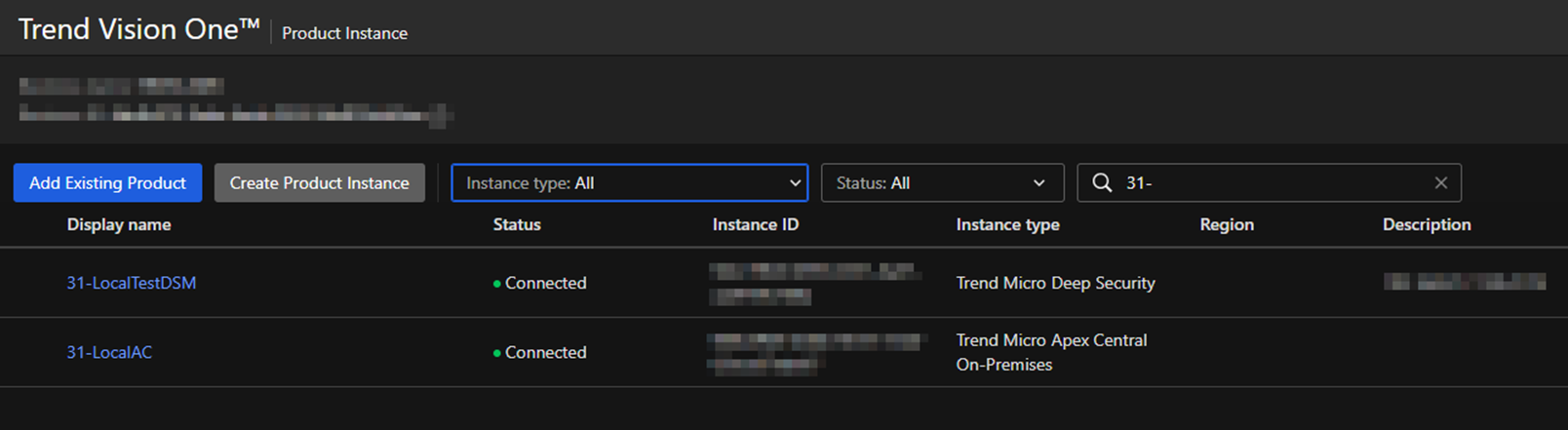
在 Service Management > Product Instance 當中可以看到新增的 Deep Security
Manager
Apex One as a Service
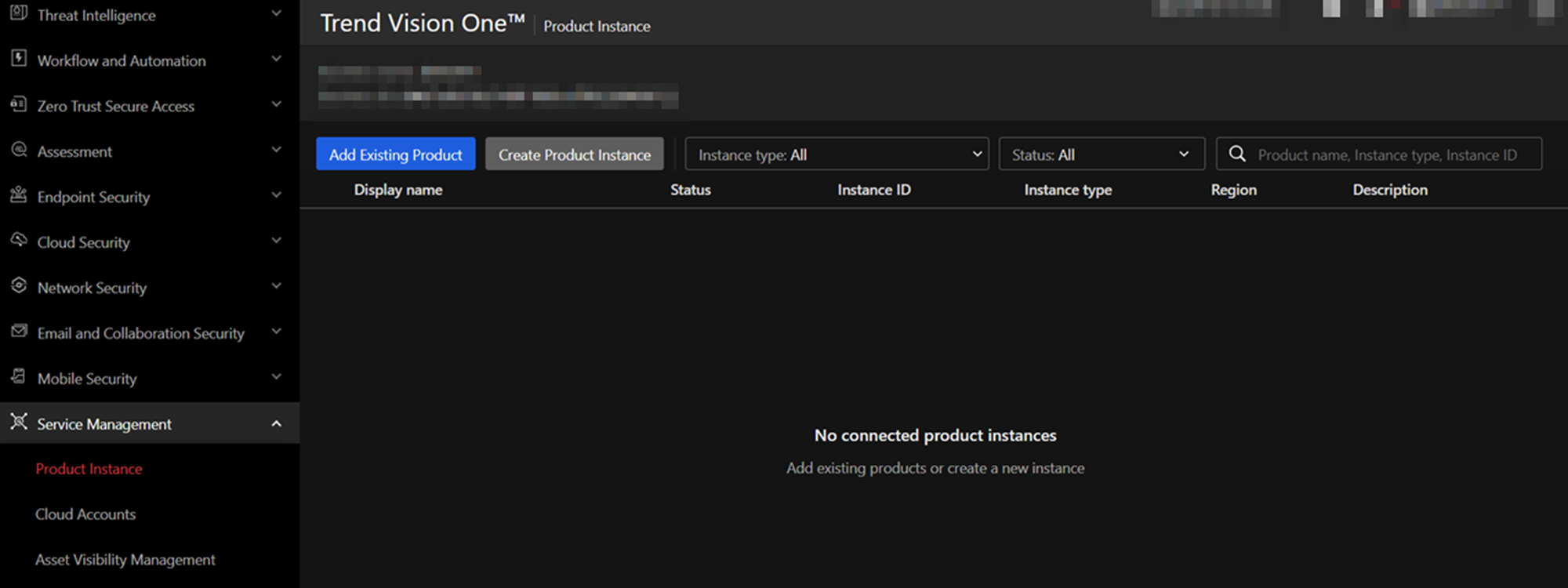
在 Service Management > Product Instance 當中點擊 Add Existing
Product
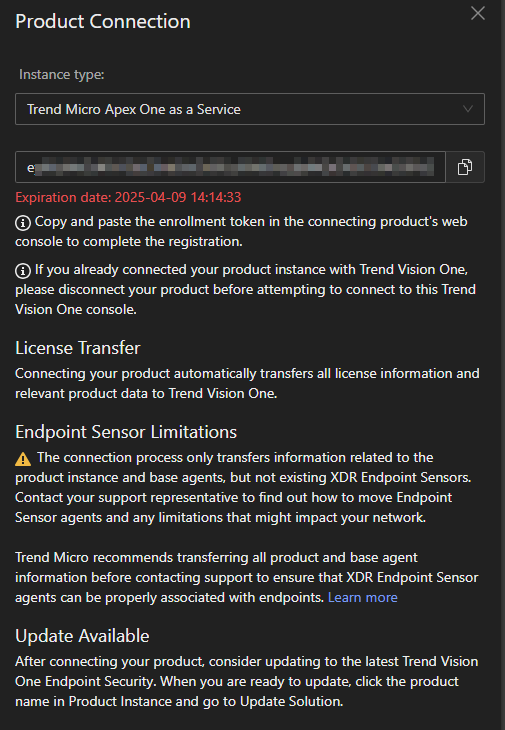
在彈出的 Product Connection 選擇 Trend Micro Apex One as a Service
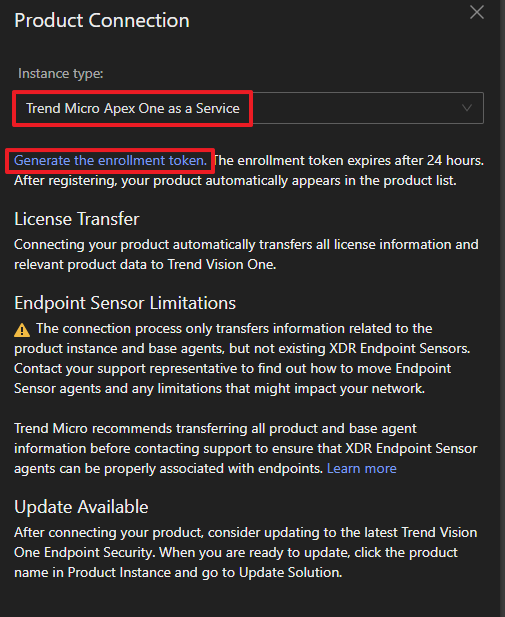
點擊 Generate the enrollment token. 產生 token 並複製後點擊 Save
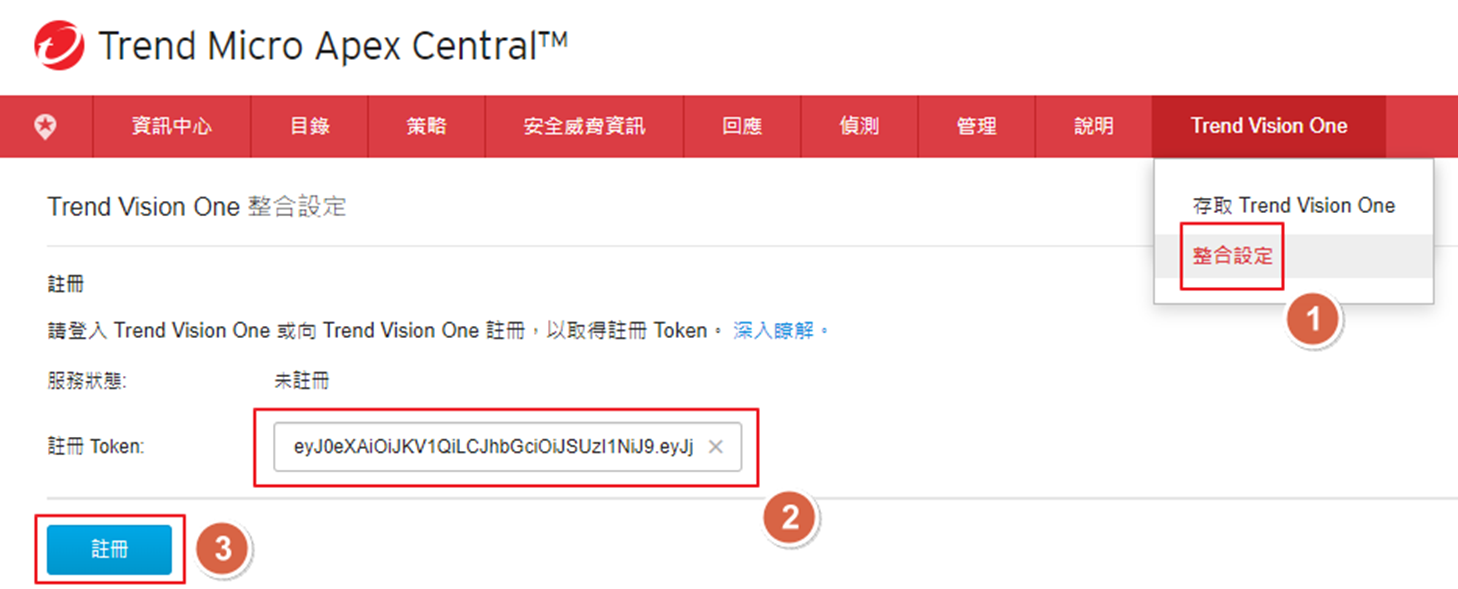
將複製的 token 拿到 Apex One as a Service 的 Trend Vision One > 整合設定 當中的
註冊 Token 貼上
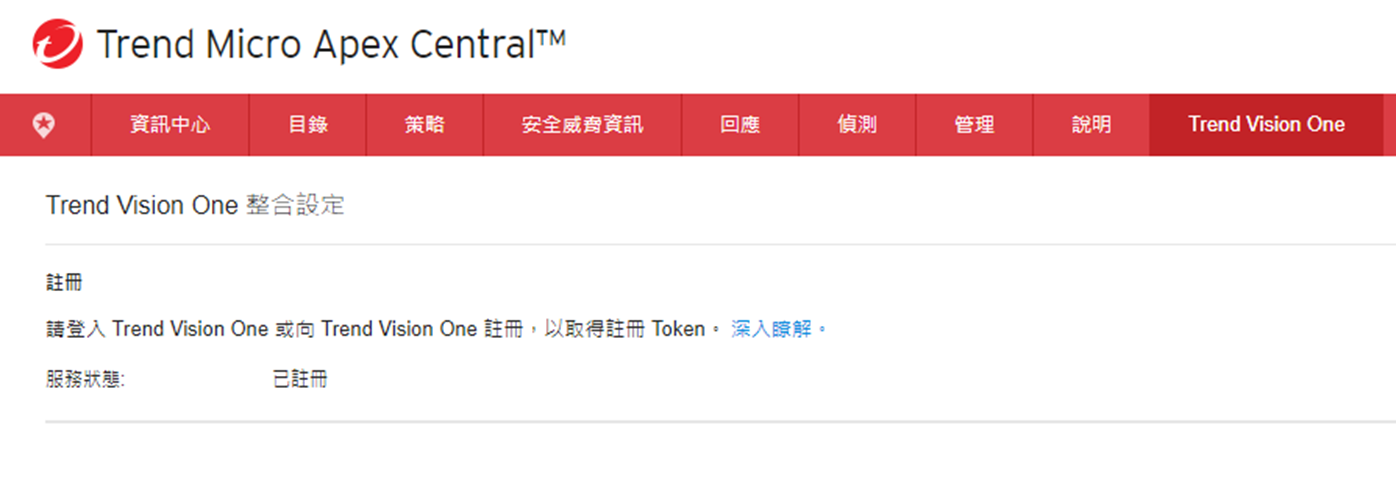
完成後可以看到 服務狀態: 已註冊
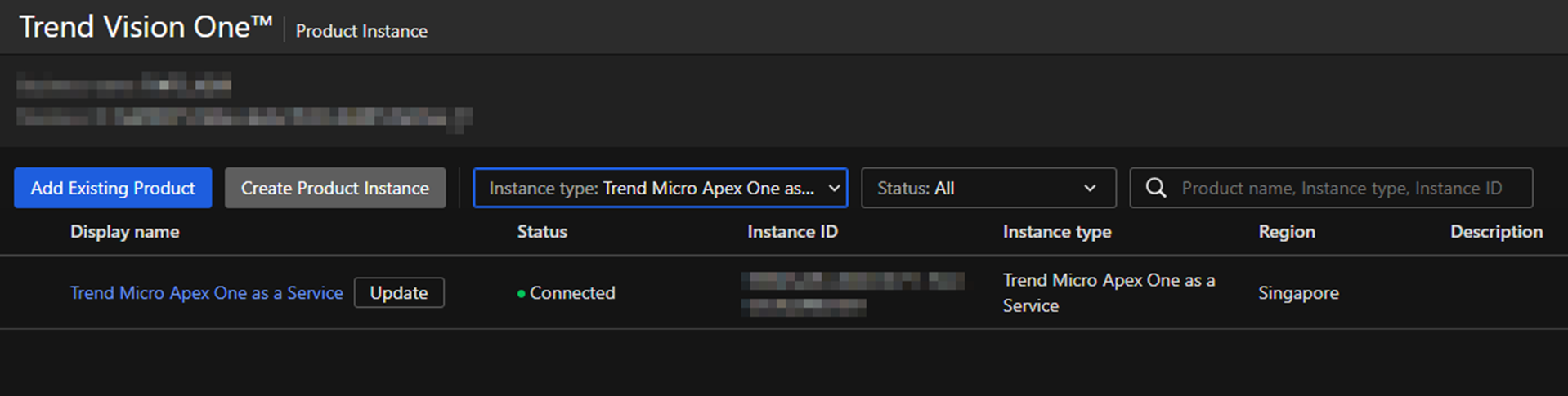
在 Service Management > Product Instance 當中可以看到新增的 Apex One as a
Service
Cloud One
在 Service Management > Product Instance 當中點擊 Add Existing
Product
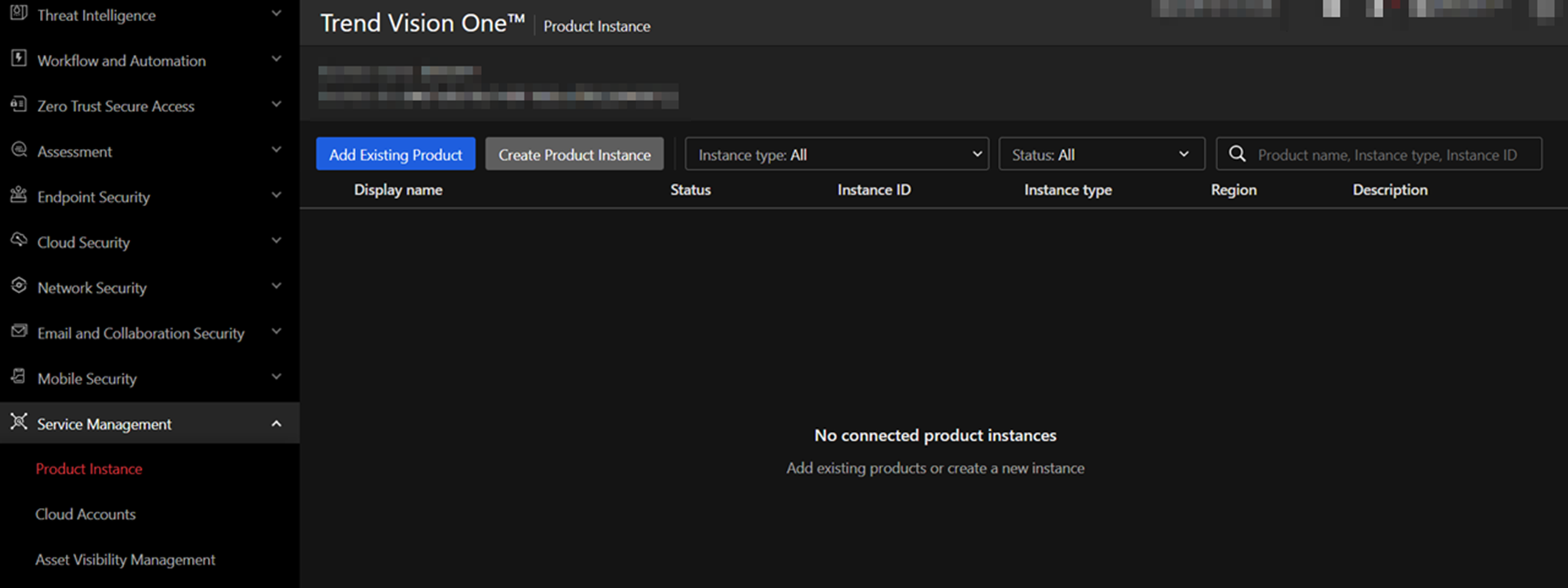
在彈出的 Product Connection 選擇 Trend Cloud One
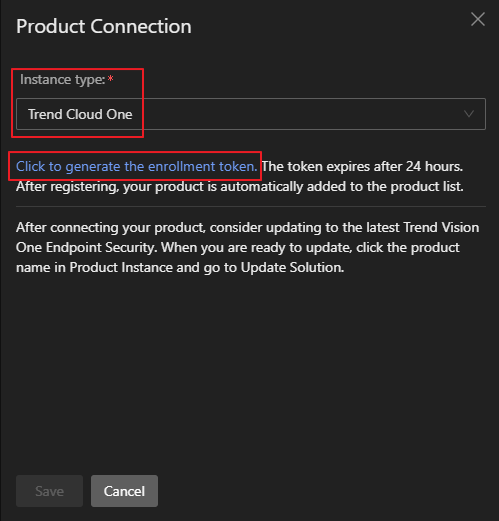
點擊 Generate the enrollment token. 產生 token 並複製後點擊 Save
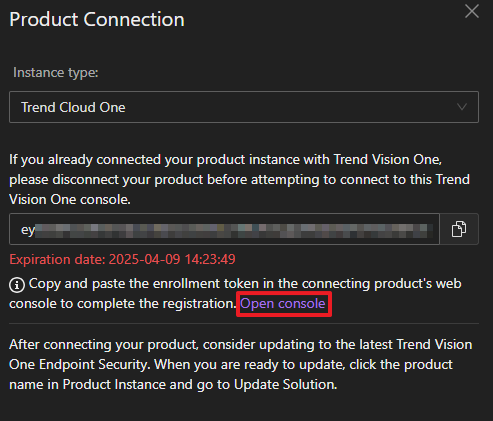
點擊 Open console
或是直接瀏覽 https://cloudone.trendmicro.com 登入 Cloud One 後點擊
Integrations
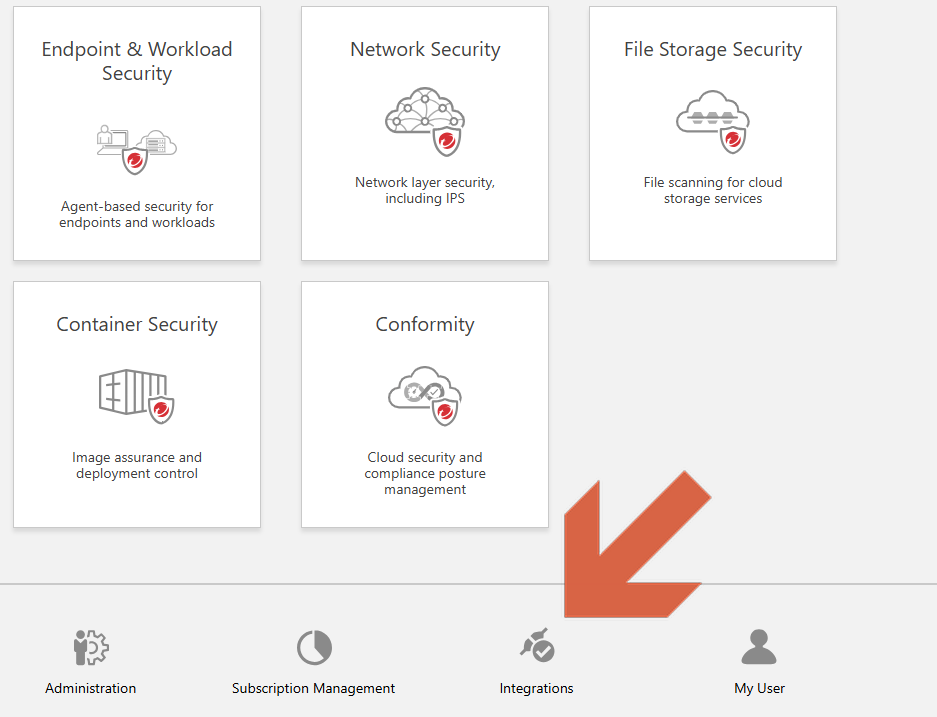
在 Integrations > Trend Vision One 點擊 Register enrollment
token
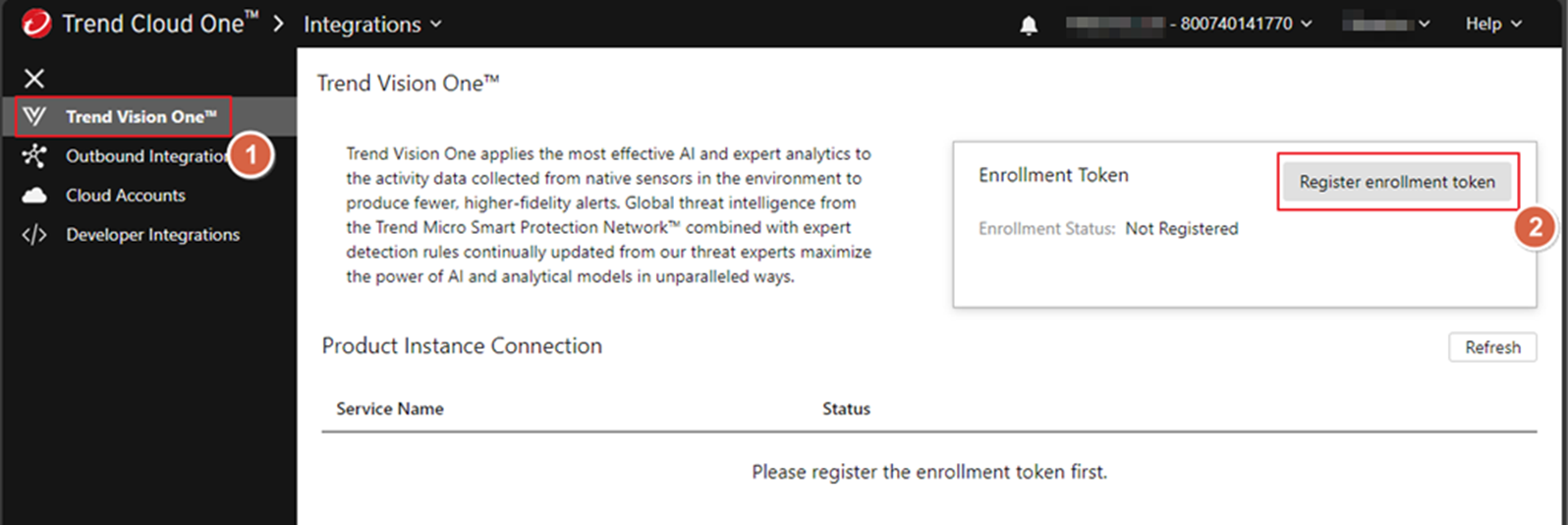
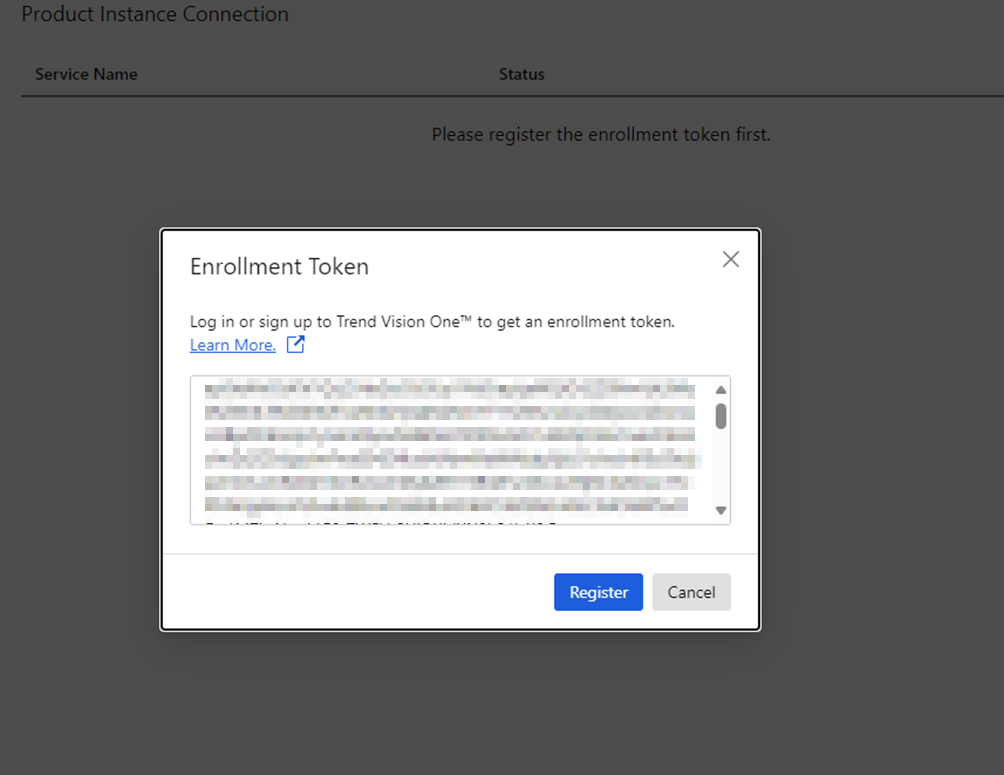
在 Enrollment Token 內貼上複製的 token
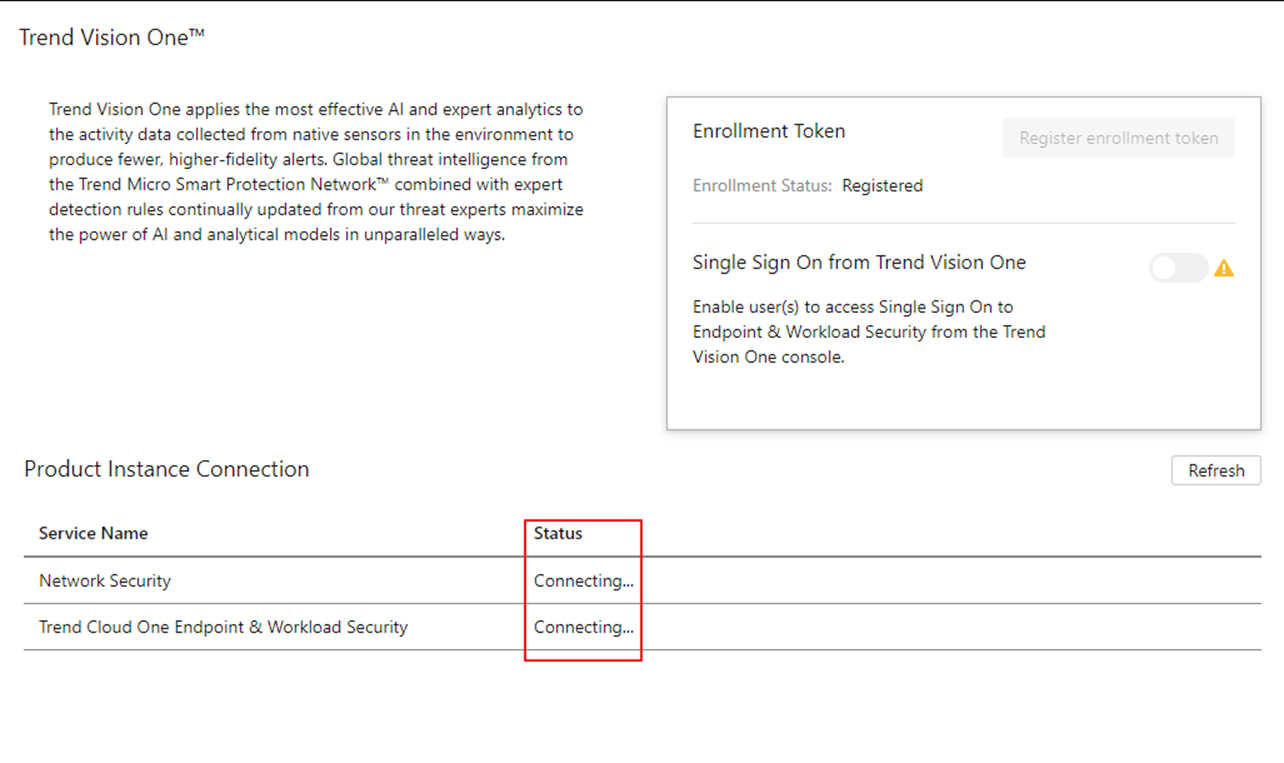
完成後可以看到 Enrollment Status: Registered 並且 Product Instance Connection
正在連線
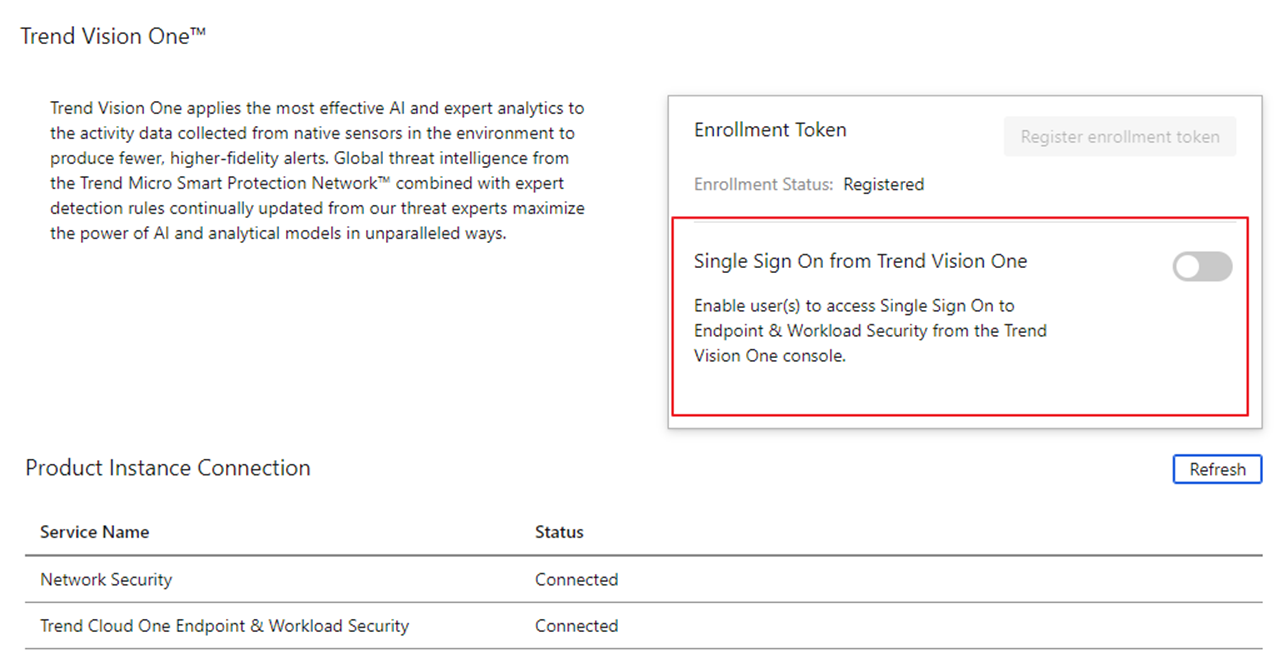
連線完成後,可以看到 Single Sign On from Trend Vision One 可以開啟
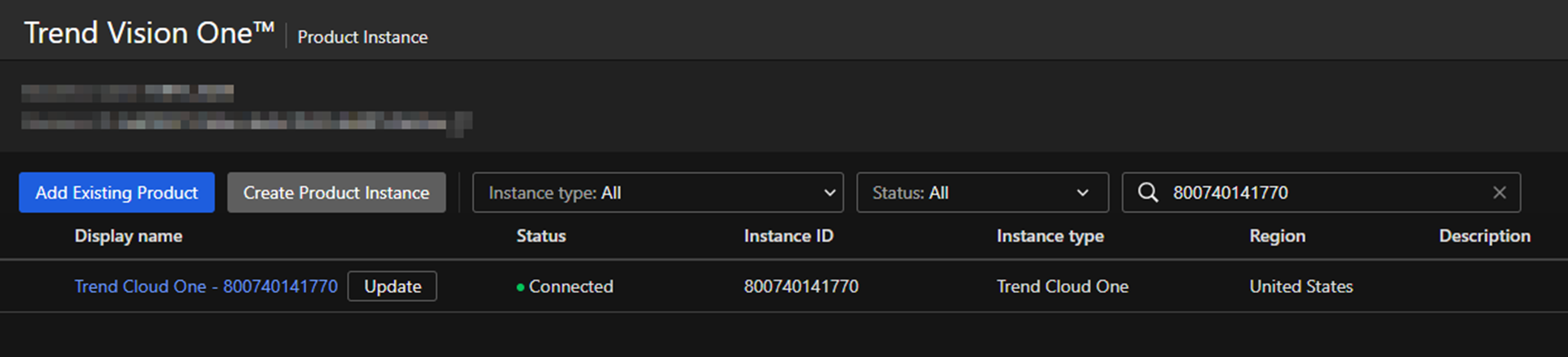
在 Product Instance 可以看到新增的 Cloud One
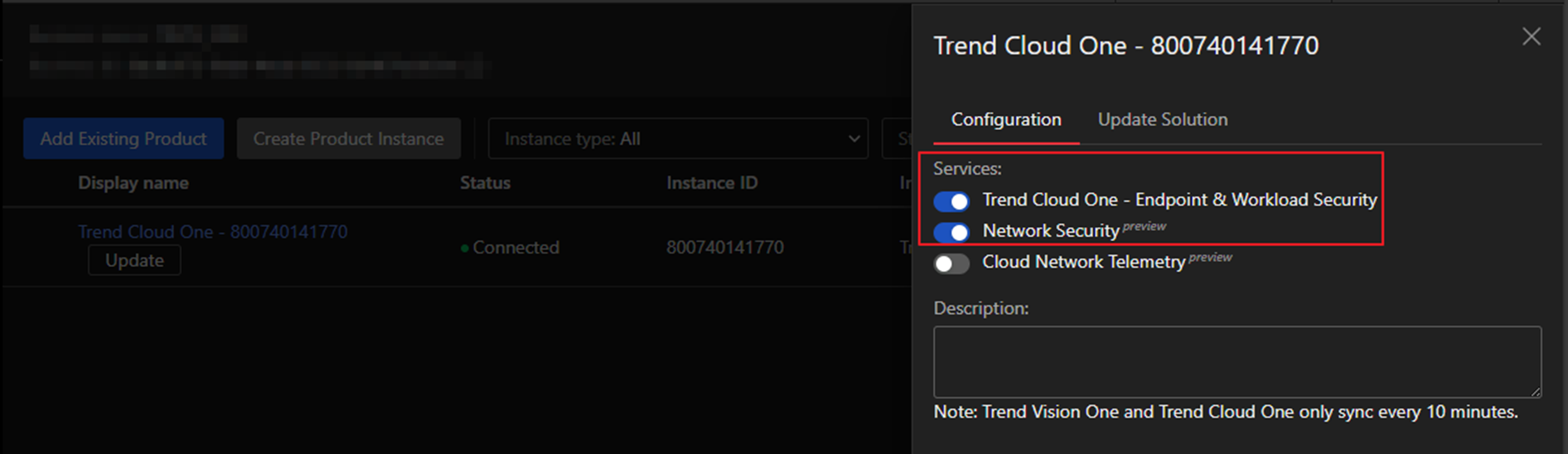
點擊新增的 Cloud One 可以看到 Trend Cloud One - Endpoint & Workload Security
可以開啟整合
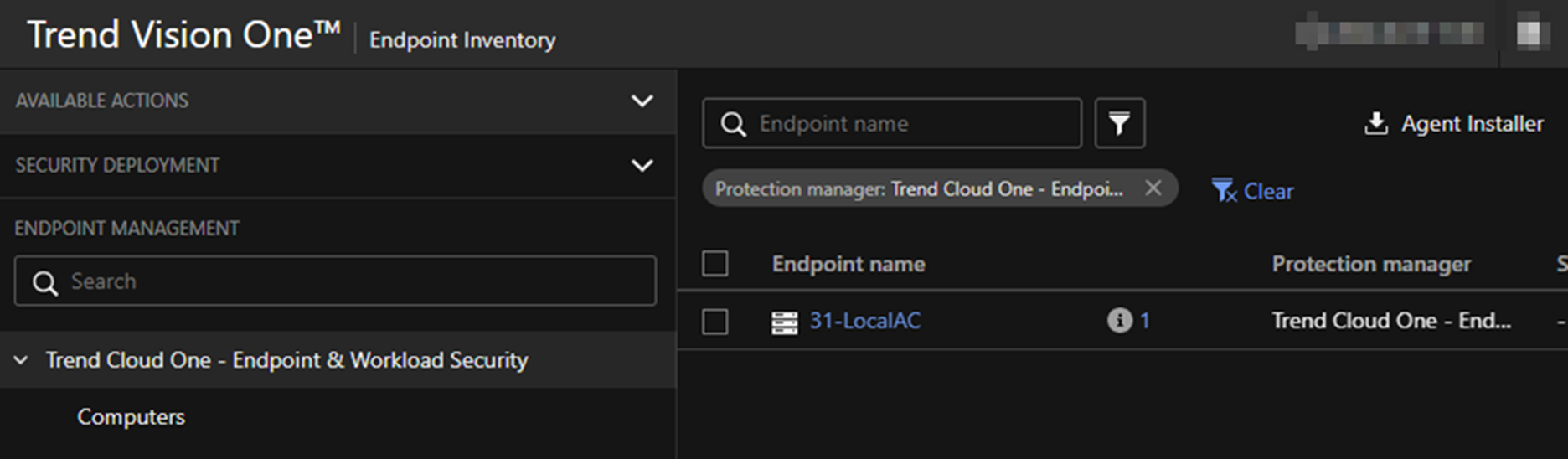
在 Endpoint Inventory 可以看到 Trend Cloud One - Endpoint & Workload
Security 同步的端點資訊
TippingPoint Security Management System (SMS)
在 Service Management > Product Instance 當中點擊 Add Existing
Product
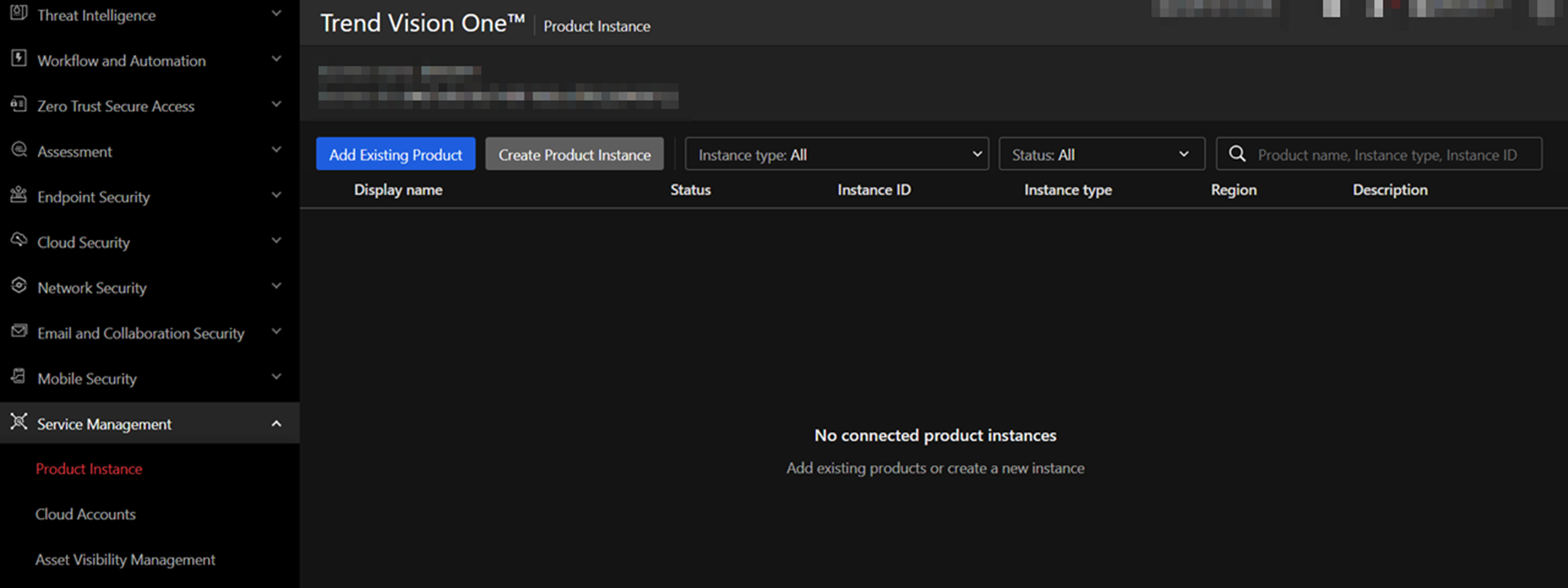
在彈出的 Product Connection 選擇 TippingPoint Security Management System
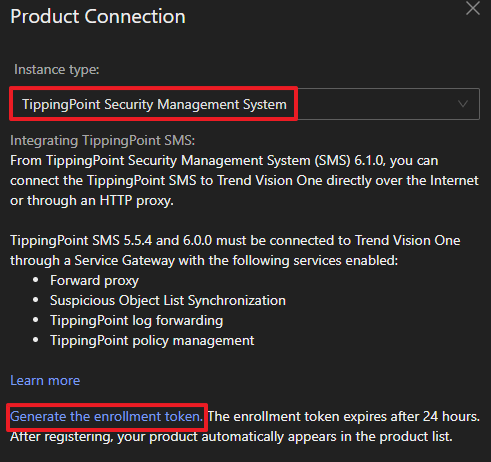
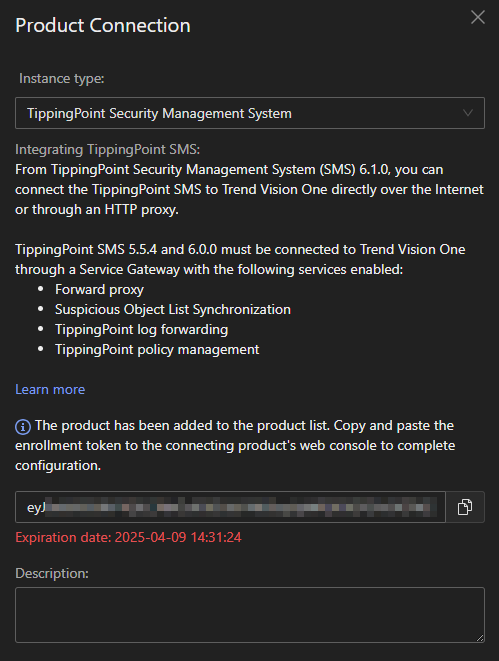
點擊 Generate the enrollment token. 產生 token 並複製後點擊 Save
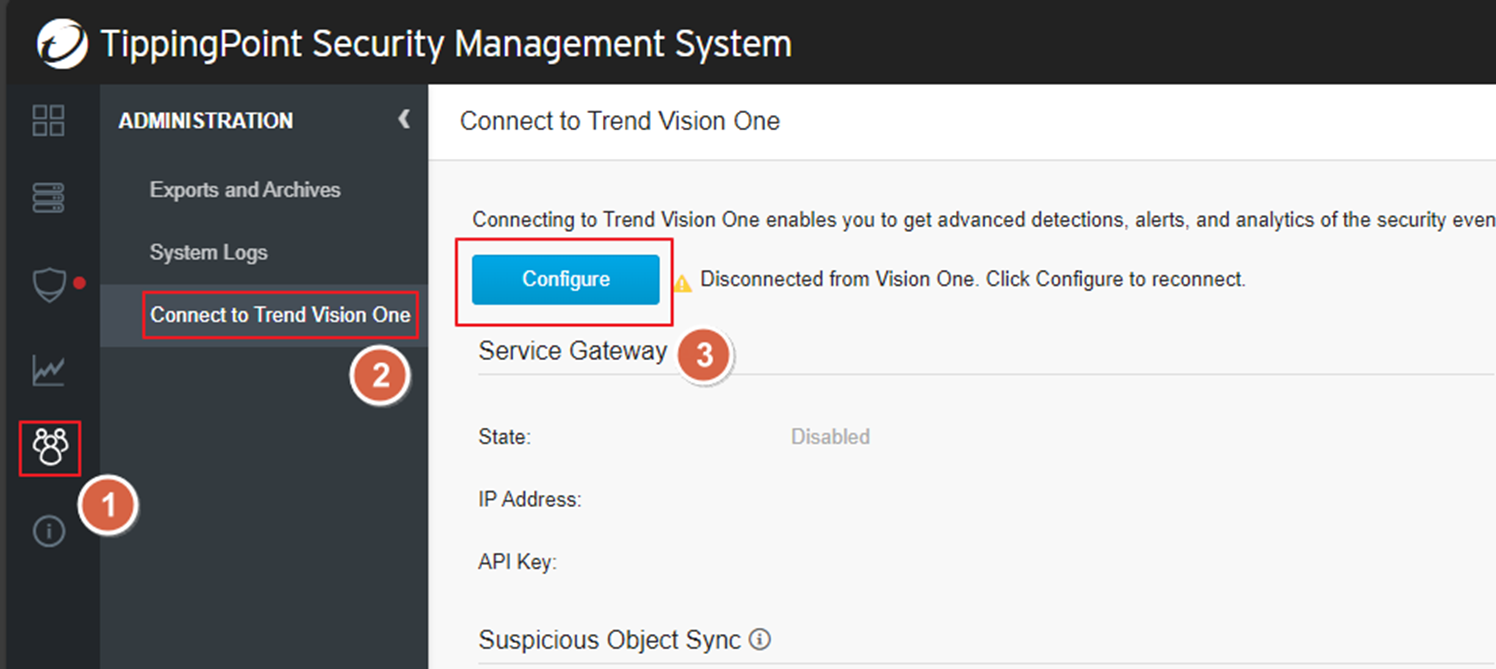
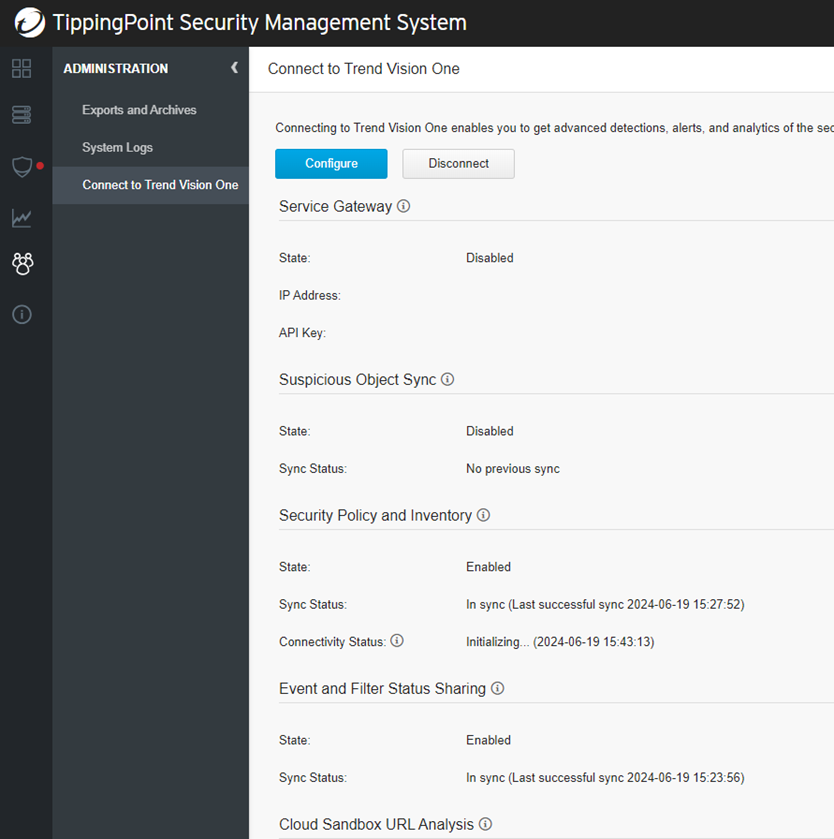
在 ADMINISTRATION > Connect to Trend Vision One 點擊
Configure
在 Trend Vision One Connectivity Settings 當中的 Enrollment Token 內貼上複製的
token
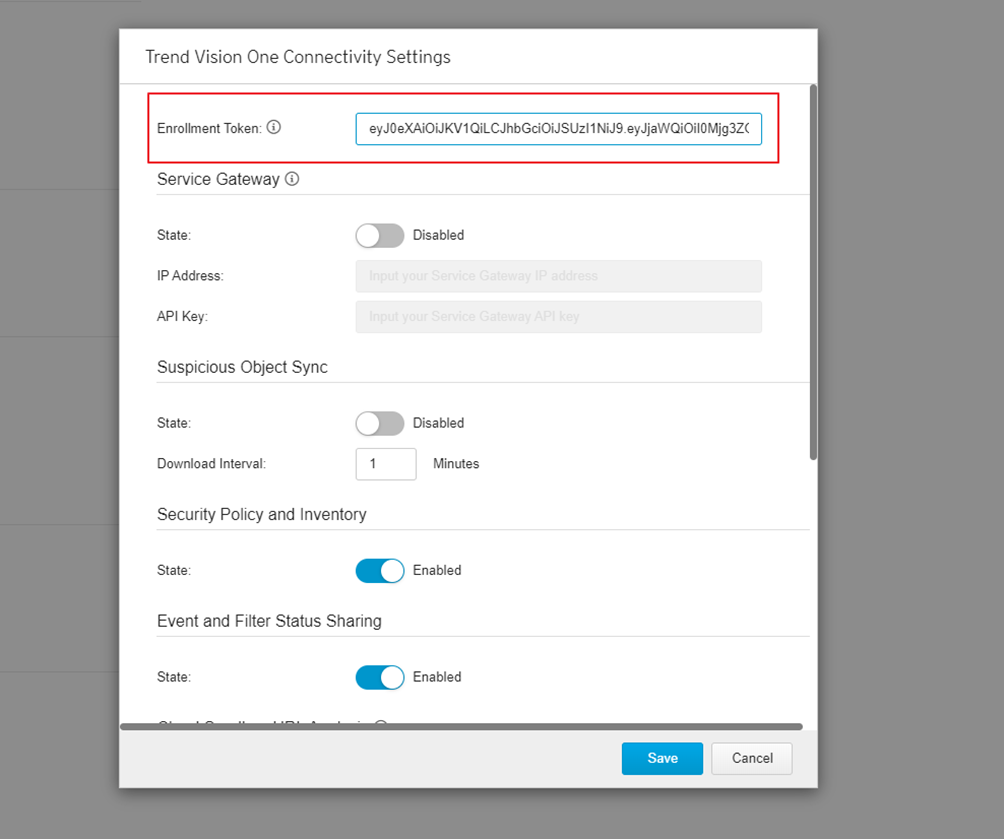
完成後可以看到選擇的功能 State 為 Enabled
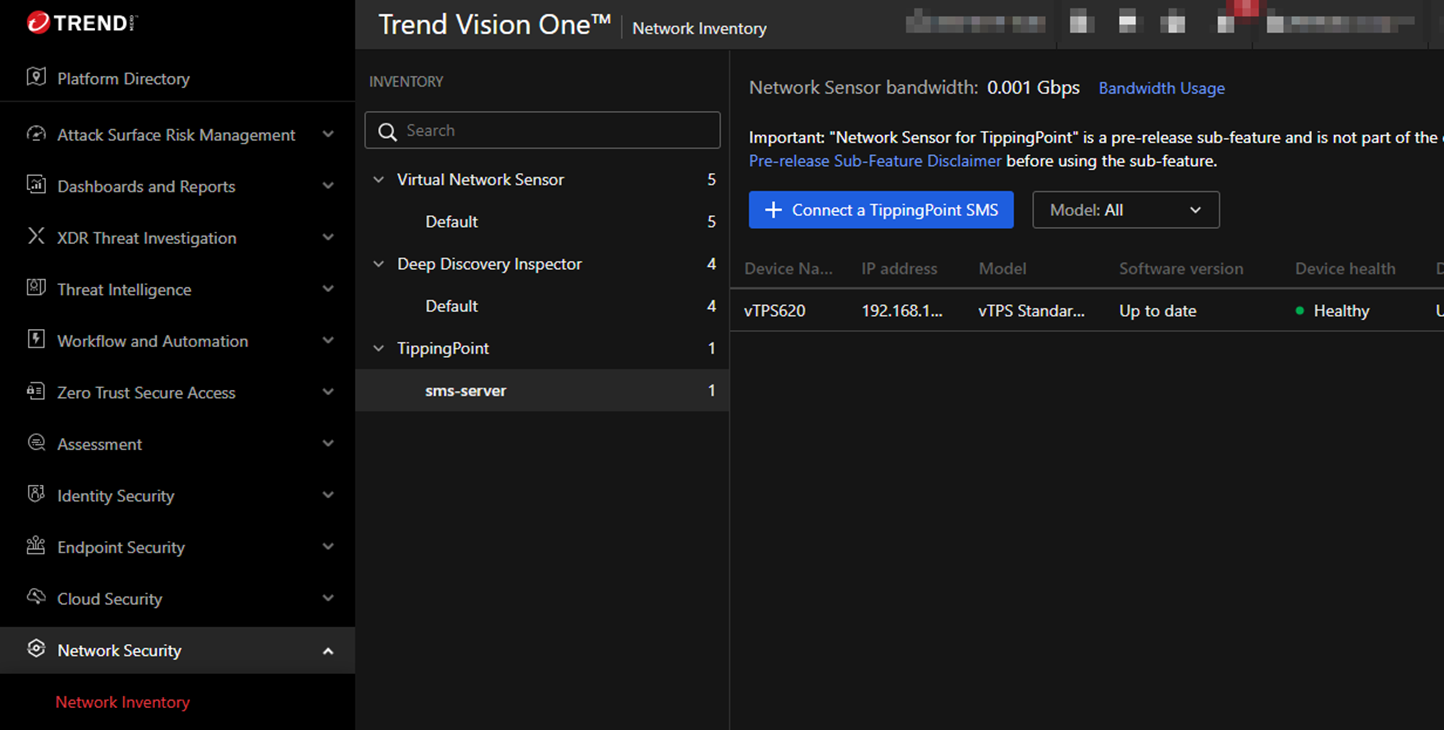
在 Network Security > Network Inventory 當中可以看到新增的 TippingPoint
SMS
Deep Discovery Inspector (DDI)
Note
Note:請在可以存取到 Deep Discovery Inspector 的端點中登入 Trend Vision One
在 Network Security > Network Inventory 當中選擇 Deep Discovery
Inspector 點擊 Connect Appliance
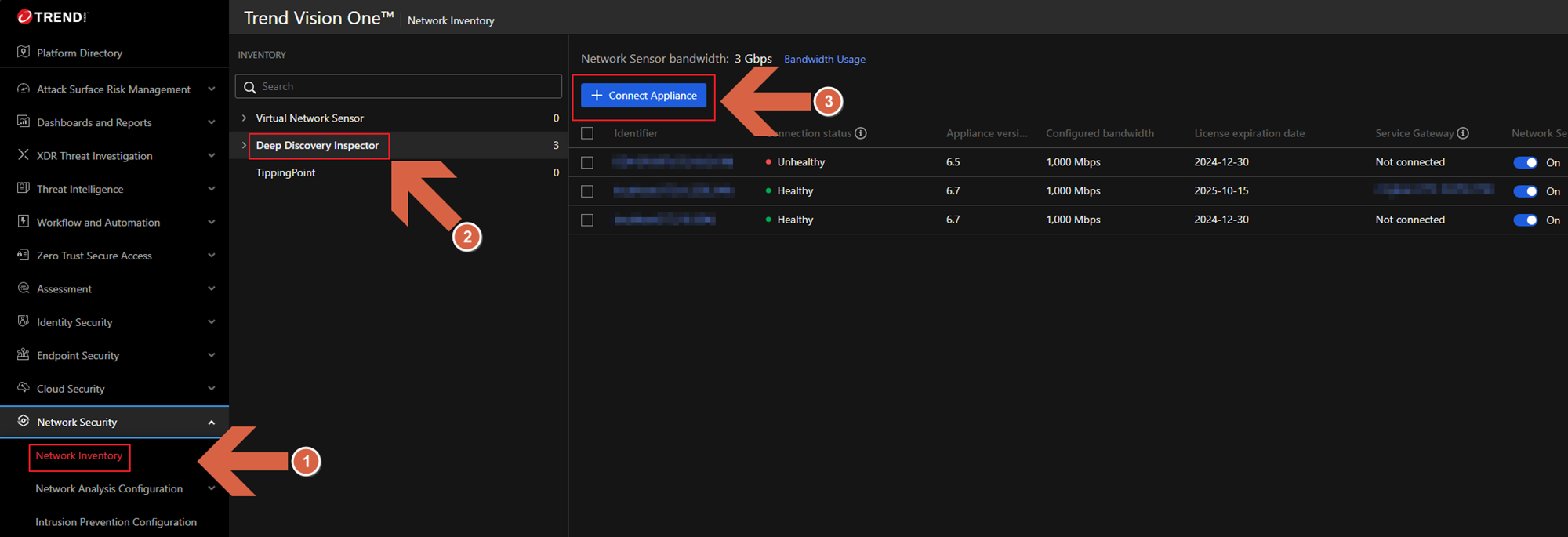
在 Appliance Connection Settings 中 Product 選擇 Deployed Deep
Discovery Inspector
Deep Discovery Inspector version 選擇 Deep Discovery Inspector 版本以及連線方式
Appliance IP address or FQDN 輸入 Deep Discovery Inspector 的
IP 或是 FQDN
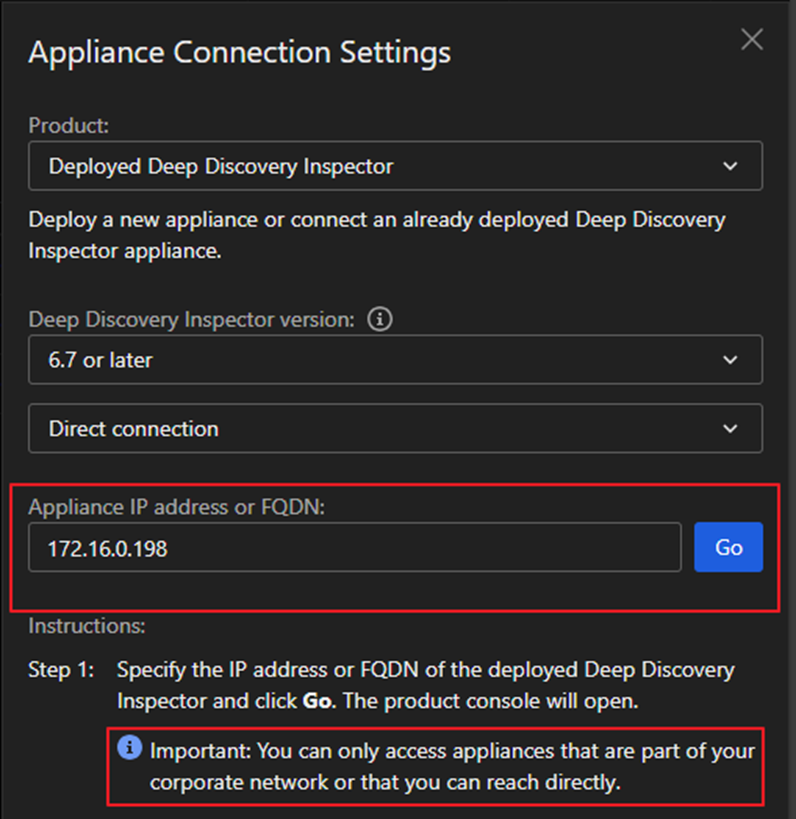
資訊都輸入完畢後按下 Go 會引導到 Deep Discovery Inspector 的登入畫面
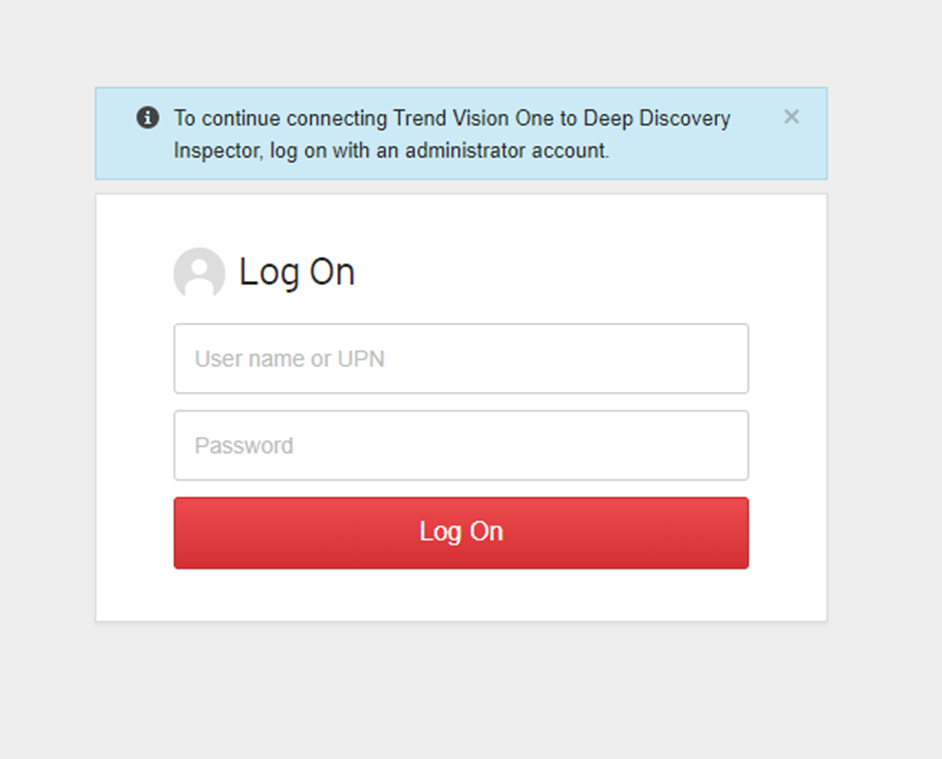
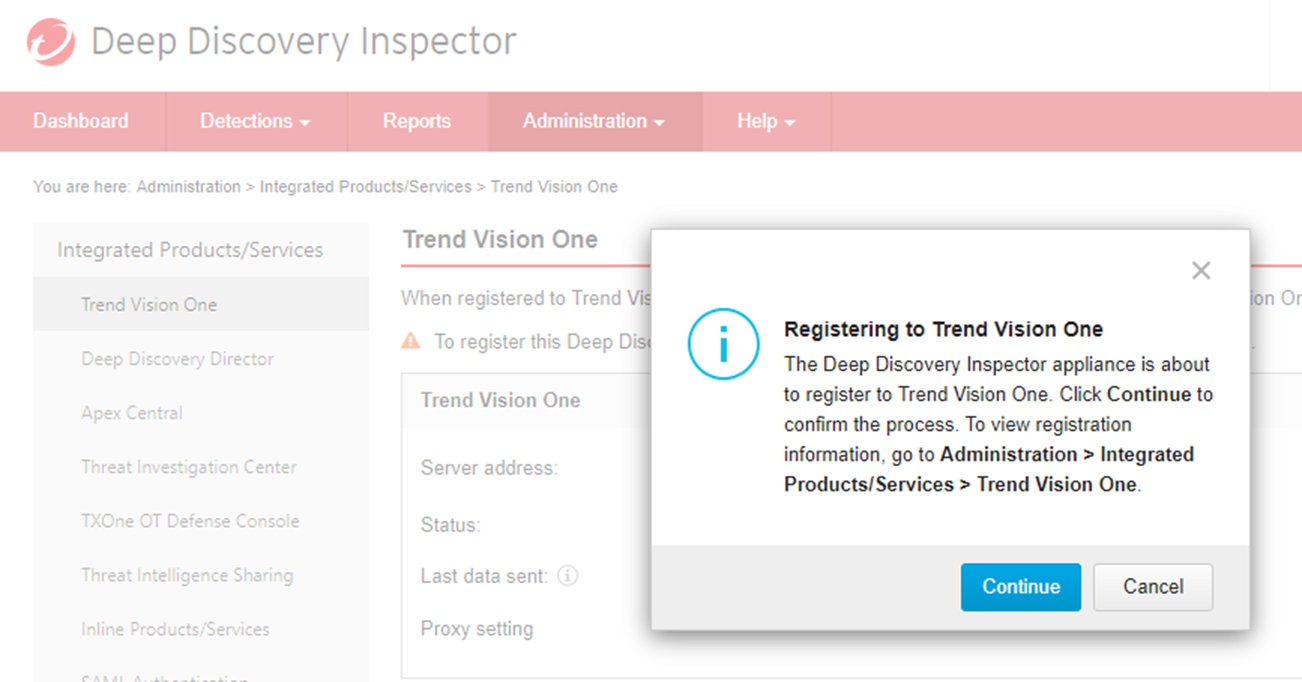
登入後會看到 Registering to Trend Vision One 點擊 Continue
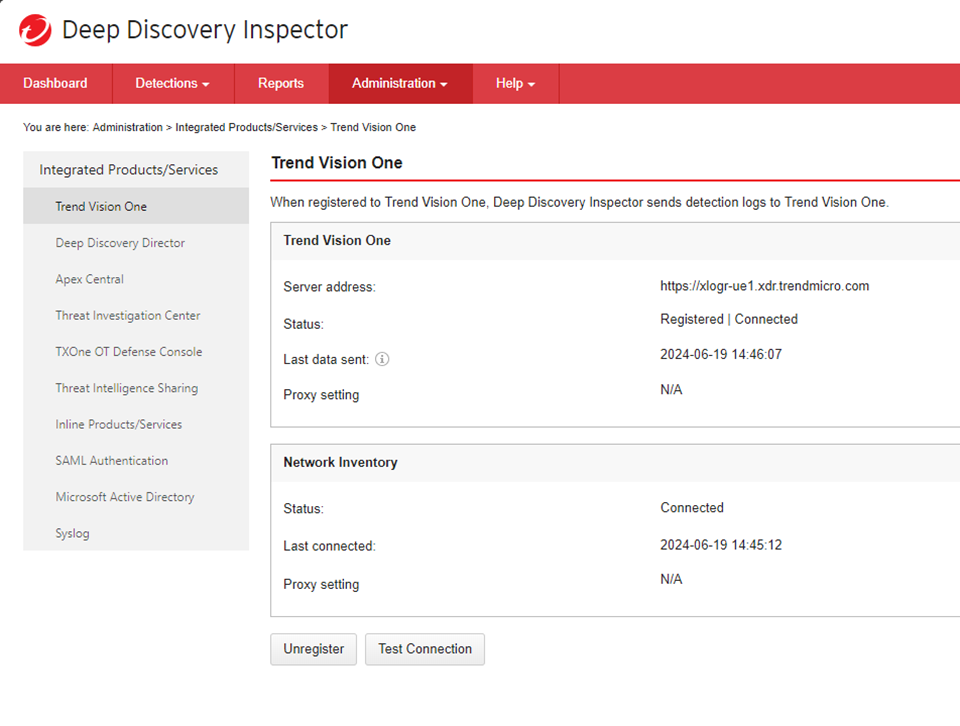
完成後可以看到與 Trend Vision One 的連線狀態
在 Network Security > Network Inventory 當中可以看到新增的 Deep Discovery
Inspector

在 Service Management > Product Instance 當中也可以看到新增的 Deep
Discovery Inspector